

Funny text to speech turns ordinary words into hilarious audio with goofy voices, dramatic reactions, and unexpected sounds. Whether you want to entertain friends, create memes, or make gaming sessions more exciting, the right voice can make every message funnier. A funny text to speech generator lets you transform written text into playful audio using robotic tones, cartoon characters, and silly voice effects.
You can use these tools for Discord chats, Twitch streams, TikTok videos, and YouTube content. From hilarious one-liners to creative copy-paste messages, the possibilities are endless. Explore popular funny TTS voices, experiment with different styles, and discover how AI voice generators can bring your funniest ideas to life.
What Is Funny Text to Speech (TTS) and How Does It Work?
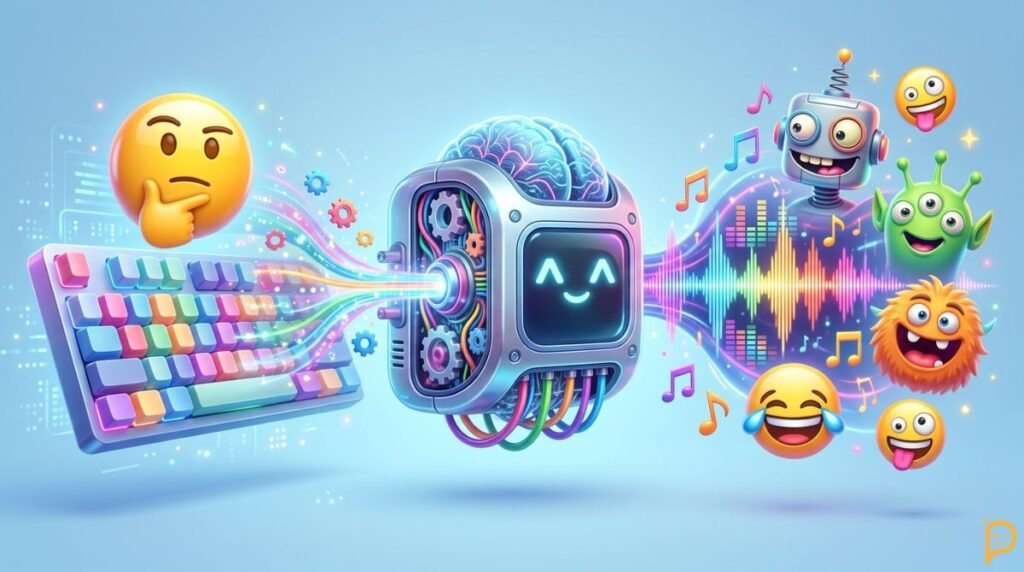
Funny text to speech uses Text-to-speech (TTS) technology to turn written words into spoken audio. Many modern tools use Artificial intelligence (AI) to create natural speech or exaggerated character voices. This process, called Speech synthesis, can make a sentence sound robotic, cheerful, dramatic, or downright ridiculous. You simply enter your words, select a voice, and generate the recording. Depending on the tool, you may also adjust pronunciation, Voice pitch, speed, and Voice tone.
The magic comes from matching the right voice with the right words. A serious announcement sounds hilarious when a squeaky voice delivers it. A boring work update becomes comedy when a robot reads it without emotion. This is why funny TTS works so well for memes, livestreams, skits, and gaming jokes. Some tools offer Synthetic speech that sounds realistic, while others focus on playful effects. The best result depends on your script, the available voices, and how you use them.
Why Are Funny Text to Speech Voices So Popular?
Funny TTS voices make everyday messages more entertaining. Creators use them for reaction videos, gaming clips, narrated memes, and short comedy sketches. Streamers can turn viewer messages into funny moments. Friends can also send silly recordings instead of ordinary texts. Since many tools work directly in a browser, beginners can experiment without complicated equipment. The appeal is simple: one sentence can sound completely different when a ridiculous voice reads it.
Funny TTS vs. Regular Text to Speech
Regular TTS usually focuses on clear narration, accessibility, or professional voiceovers. Funny text to speech focuses more on humor, character, and surprising delivery. A standard voice might read a recipe clearly, while a dramatic announcer makes it sound like a championship final. Some tools combine both purposes by offering natural voices alongside playful effects. Before choosing one, decide whether you want realistic speech, cartoon-style comedy, or a mix of both.
Best Funny Text to Speech Voices You Need to Try
The right voice can turn a weak joke into a memorable moment. Popular funny text to speech voices include goofy narrators, deep robotic speakers, dramatic announcers, squeaky characters, and exaggerated cartoon-style voices. Some funny AI voices sound almost human, while others lean into unusual pronunciation and over-the-top delivery. Try different options with the same sentence to discover which voice creates the biggest laugh. A line like “Your pizza has arrived” can sound hilarious when delivered like a royal announcement.
Your choice should match the content and audience. A playful voice works well for family-friendly videos, while a deep narrator may suit gaming commentary or sarcastic memes. Look for a funny text to speech voice generator with a useful voice preview and adjustable settings. Not every service includes every voice, so check the available options before creating your recording. You can also use a text to speech voice changer when you want to experiment with different sounds in supported applications.
Goofy and Cartoon-Style Funny TTS Voices
A Goofy voice adds a playful twist to simple words. Cartoon text to speech voices often use exaggerated pitch, unusual rhythm, or dramatic reactions. These styles work especially well with silly stories, funny announcements, and absurd everyday situations. Try these original lines with a cartoon-inspired voice.
- “My brain went on vacation, and it forgot to tell me.”
- “I came for one snack and accidentally adopted the whole pantry.”
- “Warning! My last brain cell is doing cartwheels.”
- “I tried to act normal, but my personality had other plans.”
- “My alarm clock and I are no longer on speaking terms.”
- “I have a black belt in professional procrastination.”
- “Today’s mission is simple: find snacks and avoid responsibilities.”
- “My wallet is so empty that even dust pays rent.”
- “I walked into the room and forgot my entire character development.”
- “I’m not lazy. I’m running on energy-saving mode.”
Deep, Robotic, and Dramatic Funny Voices
A deep narrator can make a tiny problem sound like a world-changing event. A Robot voice can make the same problem sound like a computer malfunction. Look for a Robot text to speech voice with adjustable speed and tone if you want to fine-tune the effect. These Funny voice effects are perfect for mock announcements, gaming reactions, and dramatic storytelling.
- “In a world where coffee has vanished, one human must survive Monday.”
- “System alert: The refrigerator is empty. Happiness levels are declining.”
- “Attention, citizens! The last slice of pizza has disappeared.”
- “Mission update: We have forgotten why we entered this room.”
- “The snack detector has identified suspicious activity near the kitchen.”
- “Error 404: Motivation could not be found.”
- “The council has reviewed your bedtime and rejected your appeal.”
- “Our hero has opened the fridge for the seventh time.”
- “Warning! Homework levels have exceeded safe operating limits.”
- “Today’s forecast predicts a ninety-nine percent chance of needing a nap.”
High-Pitched, Baby, and Old-Man Voice Effects
A Baby voice can make ordinary statements sound playful, while an Old man voice can add a grumpy or dramatic twist. Some generators include these styles directly, while others offer pitch controls or character presets. Use them for fictional characters, harmless skits, and funny voice messages. Always preview the result because extreme settings can make words difficult to understand.
- “I finished my homework, but my homework wasn’t finished with me.”
- “I demand snacks, a blanket, and absolutely no responsibilities.”
- “Back in my day, the Wi-Fi connected before we finished complaining.”
- “Young people call it buffering. I call it a good time to nap.”
- “My knees make more sound effects than an action movie.”
- “I need a nap after thinking about taking a nap.”
- “The cookies are missing, and I refuse to discuss the evidence.”
- “I came, I saw, and I forgot what I was doing.”
- “My bedtime is a suggestion written by my enemies.”
- “I’ve been waiting for dinner so long that I qualify as furniture.”
Most Popular Funny Text to Speech Voice Styles and Characters
The most popular funny TTS styles range from cartoon-inspired characters to robotic assistants and exaggerated celebrity parodies. A SpongeBob voice style, for example, might use a cheerful, high-energy delivery, while a Siri-style voice can make everyday instructions sound hilariously serious. Some generators offer licensed character voices or original alternatives inspired by broad styles. Others provide custom settings that help you create your own comic character. Availability depends on the tool, so don’t assume every voice exists on every platform.
When choosing a voice, think about the joke before selecting the effect. A dramatic voice suits a fake news report, while an Alien voice works for strange space-themed humor. A Screaming meme voice can add impact to a short reaction, but it may become annoying if you use it too often. If you want a Celebrity parody voice, check the service’s permissions and your platform’s rules. A recognizable impression should never become a tool for misleading people or pretending to be someone else.
Robot, Alien, and AI Assistant Voices
Robot, alien, and virtual-assistant styles work because they make ordinary conversations feel unusual. A robotic delivery can turn a basic reminder into a system warning. An alien voice can make a grocery list sound like an intergalactic mission. Try these original lines with futuristic or assistant-inspired voices.
- “Greetings, Earthling. Your laundry has entered its final stage of rebellion.”
- “Computer, locate the nearest pizza and activate emergency cheese protocols.”
- “Your battery is low, but your confidence remains dangerously high.”
- “Alien report: Humans spend hours watching other humans eat.”
- “The planet’s smartest species still loses its keys every morning.”
- “Your mission is to look busy until the coffee arrives.”
- “Artificial intelligence has analyzed your schedule and recommends a nap.”
- “The spaceship cannot depart until someone finds the TV remote.”
- “Greetings, human. Your sandwich has achieved maximum deliciousness.”
- “System update: Your weekend has been postponed by absolutely nobody. Enjoy it.”
Cartoon-Inspired and Celebrity-Style Parody Voices
Cartoon-inspired voices exaggerate emotion, rhythm, and personality. Celebrity-style parody can also make a joke land when the audience recognizes the general performance style. A Celebrity parody voice should be clearly presented as parody, not as a genuine recording from the person being imitated. When a service offers licensed voices, follow its usage terms. Otherwise, choose an original voice with a similar broad mood instead of cloning someone’s identity.
- “Ladies and gentlemen, I proudly announce that I have done absolutely nothing today.”
- “Welcome to my cooking show, where the smoke alarm is our special guest.”
- “This just in: Local person opens email and immediately needs a vacation.”
- “My dramatic entrance was delayed because I couldn’t find my shoes.”
- “Tonight’s award goes to the person who finished the snacks without sharing.”
- “I have a plan, a backup plan, and absolutely no idea what I’m doing.”
- “Behold! The legendary champion of leaving messages unread.”
- “My greatest talent is turning a five-minute task into a three-hour adventure.”
- “This speech was brought to you by coffee and questionable decisions.”
- “I came to inspire you, but first I need to charge my phone.”
Screaming Meme, Goofy, and Custom AI Voices
The Screaming meme voice suits sudden surprises, exaggerated reactions, and short comedic edits. A custom voice can also help you develop a recognizable style for your channel. Some services support AI voice cloning, but you should only clone a voice when you have the necessary permission. For everyday comedy, built-in presets and original character voices usually provide a simpler starting point.
- “WHO FINISHED THE LAST COOKIE? THIS IS A NATIONAL EMERGENCY!”
- “I opened my bank app and immediately heard dramatic violin music.”
- “My favorite exercise is running out of patience.”
- “THE WI-FI IS DOWN! EVERYONE REMAIN CALM!”
- “I said one episode. The streaming service heard an entire season.”
- “My phone battery is at one percent, and so is my willpower.”
- “The snack cabinet is empty. Repeat, the snack cabinet is empty!”
- “I have reached a new level of tired that coffee cannot explain.”
- “My alarm rang, and I treated it like a personal attack.”
- “I tried to save money, but the online shopping cart had other ideas.”
You May Also Like: 250+ Funny Text Messages That Will Make Anyone LOL
Best Funny Text to Speech Generators Online for Free
Finding the Best funny text to speech generator online starts with knowing what you need. Some services specialize in quick voice clips, while others provide advanced controls for creators. An AI text to speech generator may offer realistic narration, playful character presets, or both. A Funny voice generator online can be useful for quick experiments, and a Text to speech audio generator may help when you need downloadable files for videos or presentations. Compare supported voices, free limits, export formats, and licensing before choosing a service.
Don’t assume that every Online voice generator offers unlimited free use. Some tools limit the number of characters you can enter or reserve premium voices for paid accounts. Others let you generate audio for free but restrict downloads or commercial use. If you need an easy starting point, explore TopMediai’s funny text-to-speech tools and compare their current features with your needs. Always check the latest terms because prices and features can change.
| Tool or resource | What to investigate | Best use |
| TopMediai | Voice options, free limits, export features | Exploring funny voices |
| All Voice Lab | Voice-style ideas and available creation tools | Discovering popular TTS styles |
| Potato Hot Dog | Streamer copy pasta and message ideas | Writing entertaining TTS messages |
| ElevenLabs | Available voices, plans, and voice-generation terms | Exploring AI voice creation |
| NaturalReader | Voice options, supported formats, and plan limits | General text-to-speech use |
Top Features to Look for in a Funny TTS Generator
A good tool should make the creation process simple without limiting your creativity. Look for voice previews, adjustable speed, useful pronunciation controls, and a selection of funny styles. Check whether the service exports MP3 audio or WAV audio if you plan to edit your recordings. A clear interface matters too. You shouldn’t need a technical manual just to make a robot announce your lunch break.
How to Compare Free and Paid Funny TTS Tools
Free tools work well for occasional jokes, short clips, and early experiments. Paid plans may provide more voices, larger text limits, faster generation, or commercial-use options. However, the most expensive option isn’t always the best. Test the same short script across two or three tools and compare the voice quality. Before publishing, review each provider’s licensing rules, privacy policy, and restrictions on synthetic voices.
How to Choose the Best Funny Text to Speech Tool for Your Needs
Choose a tool that fits your main goal. Casual users may need only a browser-based generator, while frequent video creators might prefer more control over pronunciation and exports. Streamers should also consider audio routing and compatibility with their setup. If you want a Funny text to speech voice changer online, check whether the service changes recorded audio, generates speech from text, or supports both. These features aren’t interchangeable.
How to Make Funny Text to Speech Audio in Simple Steps

Creating funny TTS audio doesn’t require professional recording equipment. Start with an AI voice generator or another reliable TTS tool, then enter a short, original script. Choose a suitable voice and adjust its speed, pitch, or tone if the service supports those settings. Listen to the Voice preview before generating the final clip. Small changes can make a big difference, especially when your joke depends on timing or a surprising final word.
The next step is refining the recording. Use punctuation to guide pauses and break long sentences into manageable sections. Check any unusual names or slang because some voices may pronounce them incorrectly. This process of Audio generation usually takes only a few steps, although advanced features vary by provider. If you’re learning How to make funny text to speech voices, experiment with the same line in different styles before settling on the best result.
Step-by-Step Guide to Creating Your First Funny TTS Clip
- Choose a trustworthy TTS generator that offers a voice you like.
- Write a short joke, funny announcement, or fictional dialogue.
- Enter your words in the Text input field.
- Select a voice and adjust the available settings.
- Play the Voice preview and listen for awkward pauses.
- Correct spelling or pronunciation issues and generate the audio again.
- Save the recording using the available Audio download option.
Tips for Making AI Voices Sound Funnier
Good comedic delivery depends on timing as much as the words themselves. A tiny pause before the punchline can make a sentence more surprising. Adjust Speech speed when the voice sounds rushed or too slow, and experiment with Voice modulation if the tool supports it. Don’t push every setting to its maximum. A slightly serious voice often makes an absurd sentence funnier than constant shouting.
How to Download and Share Funny TTS Audio
After generating your recording, look for the tool’s export or download option. Some services support MP3 audio, while others may offer WAV audio or additional formats. Save the file somewhere easy to find, then import it into your video editor or compatible streaming software. Before sharing, confirm that the provider allows your intended use. Personal entertainment and commercial publishing may follow different licensing rules.
Funny Text to Speech Messages, One-Liners, and Copy Pasta

Sometimes, the funniest part of TTS isn’t the voice. It’s the ridiculous sentence that comes out of it. Funny text to speech messages work best when they’re short, unexpected, and easy to understand. You can turn a simple joke into a dramatic announcement or make a robot deliver the most unnecessary update imaginable. Use these original examples as inspiration for your own recordings, or paste them into a compatible generator. This section also covers Text to speech copy pasta, TTS copy pasta, and Funny TTS lines for gaming, group chats, and silly audio clips.
When writing your own messages, think about how they’ll sound when spoken aloud. Long sentences can lose their punchline if the voice rushes through them. A short setup followed by an unexpected ending usually works better. You can also create Funny voice messages for friends who enjoy this kind of humor. Keep the jokes friendly and relevant to the audience, especially when using public chat tools. The following examples offer plenty of material for your next batch of Funny audio clips.
Funny Text to Speech One-Liners
These short jokes work well with robotic, dramatic, cartoon-inspired, or deadpan voices. Try each line in two different styles and see which delivery gets the biggest laugh.
- “My weekend plans include doing nothing and taking it very seriously.”
- “I don’t need a personal trainer. My stairs already judge me.”
- “My brain has too many tabs open, and one is playing music.”
- “I put my phone down and immediately forgot where I put it.”
- “I’m not late. I’m arriving in a different time zone.”
- “My diet starts tomorrow, according to yesterday’s announcement.”
- “I cleaned my room by moving everything into another room.”
- “My favorite hobby is checking the fridge for new possibilities.”
- “I have excellent time-management skills when nothing needs doing.”
- “My motivation called in sick and didn’t leave a forwarding address.”
- “I tried to be mysterious, but I accidentally explained everything.”
- “My savings account is currently practicing the art of minimalism.”
Funny TTS Copy Pasta Messages for Gaming and Streaming
TTS copypasta messages can turn a quiet livestream into a funny moment when viewers submit short, harmless messages. If you’re writing Funny text to speech messages to troll streamers, aim for playful absurdity instead of personal attacks. These examples suit compatible streaming tools and work best when channel rules allow viewer-submitted audio.
- “Attention, streamer! Your character has requested a lunch break.”
- “This gameplay has been reviewed by the International Committee of Snack Lovers.”
- “Breaking news: The player has once again mistaken a wall for a doorway.”
- “Dear streamer, your keyboard called. It wants hazard pay.”
- “The mission is going well, except for the mission itself.”
- “A mysterious force has stolen your victory. Investigators suspect lag.”
- “Your gaming chair has officially achieved MVP status.”
- “The chat has voted, and everyone agrees you need more snacks.”
- “Warning: Your confidence has exceeded your current health points.”
- “The game said, ‘Try again,’ and you took that personally.”
- “Our expert analysis confirms that jumping repeatedly solves absolutely nothing.”
- “Congratulations! You’ve unlocked the legendary achievement called Almost Had It.”
Short, Clean, and Family-Friendly Funny TTS Messages
Clean messages are perfect for school projects, family chats, and friendly videos. Use a cheerful voice for silly greetings or a serious narrator for everyday nonsense. These lines avoid adult themes and work well for younger audiences.
- “My homework is shy, so it keeps hiding in my backpack.”
- “I asked my dog for advice, and he suggested another walk.”
- “The cookies are missing, but the crumbs refuse to testify.”
- “My pencil has retired after a long career of drawing lines.”
- “The school bell rings, and my backpack suddenly weighs a ton.”
- “I wanted to be a superhero, but my cape is in the laundry.”
- “My sandwich has more layers than my favorite mystery story.”
- “I told my plant a joke, but it needed time to grow on it.”
- “My teddy bear knows everything, but he’s sworn to silence.”
- “I finished my vegetables, and now I’m accepting congratulations.”
- “The cat knocked over my homework. I suspect academic sabotage.”
- “My socks have disappeared again. The washing machine has questions to answer.”
Funny TTS Roasts, Reactions, and Dramatic Messages
Lighthearted roasts are fun when everyone understands the joke. Avoid targeting someone’s appearance, identity, or personal struggles. Instead, joke about everyday habits, gaming mistakes, or harmless moments. A dramatic voice can make these friendly lines sound even more ridiculous.
- “Your plan was brilliant until the planning part began.”
- “You have the confidence of someone who didn’t read the instructions.”
- “That idea has potential. It just needs a complete software update.”
- “Your gaming strategy is a beautiful mystery, even to your teammates.”
- “You move so slowly that the loading screen feels impatient.”
- “Your cooking has inspired the smoke detector to pursue a music career.”
- “You bring a unique energy to every situation, especially the confusing ones.”
- “That was an impressive mistake. Please explain it to the committee.”
- “Your memory is amazing when it comes to snacks and absolutely nothing else.”
- “You didn’t lose the argument. You simply gave confusion a victory speech.”
- “That was a bold decision, considering the complete lack of a plan.”
- “Your confidence deserves a trophy, even if the results need improvement.”
You May Also Like: 250+ Funny Text Messages That Will Make Anyone LOL
How to Use Funny Text to Speech on Discord, Twitch, and Other Platforms

Funny TTS becomes even more entertaining when you bring it into your favorite online communities. Discord TTS can help users hear messages through compatible features or tools, while Twitch TTS can turn selected viewer submissions into stream moments. The exact setup depends on the platform, permissions, and integration you choose. If you’re learning How to use funny text to speech on Discord, start by checking the available accessibility settings, supported bots, or external audio tools. Don’t assume every server supports the same features.
For streaming, plan your audio setup before going live. A Twitch streamer may use alerts, donation integrations, channel-point rewards, or compatible software to play TTS messages. Tools such as OBS Studio can help manage a stream’s audio and visual sources, although the exact routing process depends on your setup. If you’re using Text to speech for streaming, test the volume, latency, and moderation controls first. A funny message should entertain your audience, not cover every conversation or turn the stream into an endless noise parade.
How to Use Funny Text to Speech on Discord
Discord offers text-to-speech accessibility features, while servers may also use compatible bots or external audio tools. Start by reviewing Discord’s current settings and your server’s rules. If you use a bot, check its permissions and setup instructions before adding it. Some methods read messages through supported features, while others generate audio separately. Test the result with a short message before using it in a busy community.
Try these Funny text to speech messages for Discord in a suitable server or private conversation where this kind of humor is welcome.
- “The snack committee has called an emergency meeting.”
- “Your status says busy, but your memes say otherwise.”
- “A wild notification appeared. Nobody knows why.”
- “Please remain calm. Someone has changed the group chat icon.”
- “The voice channel is now accepting applications for professional potato commentators.”
- “Your microphone is muted, but your facial expressions are incredibly loud.”
- “The server has detected suspicious levels of procrastination.”
- “Congratulations! You’ve been promoted to assistant manager of absolutely nothing.”
- “Today’s mission: join the call and forget why you joined.”
- “Your gaming setup looks powerful. Your bedtime schedule does not.”
- “The chat has requested a snack break. Motion approved.”
- “The typing indicator has been active longer than the actual conversation.”
How to Use Funny TTS on Twitch
Twitch creators can use compatible TTS integrations for donations, alerts, rewards, or viewer messages. Choose a tool that supports your intended feature and follow its setup instructions. Connect it to your streaming workflow, route the audio correctly, and test it privately before going live. Set reasonable message limits and use moderation filters to reduce spam or abusive submissions. For the Best funny TTS voices for Twitch, prioritize clear audio and reliable controls over novelty alone.
These TTS copypasta messages can add humor without disrupting gameplay. Use them only when your stream’s rules permit viewer-generated messages.
- “Attention, chat! The streamer has misplaced their last remaining brain cell.”
- “The game plan has been reviewed. The committee recommends trying harder.”
- “Your inventory is full, but your confidence has unlimited storage.”
- “A legendary item has appeared. Unfortunately, it belongs to someone else.”
- “The chat has assembled to discuss your questionable jumping technique.”
- “Today’s sponsor is the pause button, supporting gamers everywhere.”
- “Your next mission is to defeat the boss and remember to breathe.”
- “The streamer has entered stealth mode by hiding behind absolutely nothing.”
- “Achievement unlocked: Survived another tutorial without reading the instructions.”
- “Breaking news: The map was right, and we were wrong.”
- “The audience requests fewer excuses and more spectacular victories.”
- “The gaming council has decided that snacks count as essential equipment.”
Using Funny Text to Speech in Other Apps and Games
You can also use generated audio in recorded videos, compatible voice chats, presentations, and gaming edits. Some setups require a virtual audio device or audio-routing software, while others simply let you import an existing recording. The best option depends on the application and whether you need live speech or a prepared clip. Always check the platform’s rules and the tool’s compatibility before relying on a particular workflow.
Best Funny Text to Speech Ideas for Gaming, Streaming, and Pranks

Gaming and streaming offer endless opportunities for funny TTS. A deep announcer can narrate a minor mistake like a championship defeat. A robotic voice can deliver absurd mission instructions, while a cartoon voice can react to an unexpected win. Text to speech for gaming works especially well when the message matches the moment. Keep each line short enough to hear clearly without covering important dialogue, game audio, or team communication.
Pranks can work too, provided everyone involved is comfortable with the joke. Use Text to speech prank messages for friendly surprises, fictional announcements, or harmless role-play. Don’t use TTS to imitate someone deceptively, spread false emergencies, or flood a public chat. If you’re testing a prank with friends, choose a setting where they can easily stop the audio. Humor should bring people into the joke, not make them the unwilling target.
Funny Text to Speech Ideas for Gamers
Try these lines during friendly gaming sessions, recorded highlights, or compatible chat interactions. Match the voice to the situation for maximum effect.
- “Mission control reports that you have missed the target and discovered a new wall.”
- “Your character has requested a five-minute break and a plate of cookies.”
- “Warning: The boss has more health than your entire team has patience.”
- “The treasure was real. The plan to reach it was questionable.”
- “Your inventory contains seventeen items and zero useful solutions.”
- “Congratulations! You have discovered the world’s most expensive way to fall.”
- “The map says north. Your character says absolutely not.”
- “Your team is counting on you, mostly because everyone else is lost.”
- “Achievement unlocked: Turned a simple mission into a complicated documentary.”
- “The final boss is waiting. Please finish your snack before entering.”
- “You didn’t miss the target. You created a new target somewhere else.”
- “Your strategy is so mysterious that even the game has stopped explaining it.”
Funny TTS Ideas for Twitch Streamers and Live Audiences
A strong stream alert is short, recognizable, and easy to hear. Build recurring jokes around your channel’s theme, then rotate the messages to keep them fresh. If your audience submits messages, use moderation controls and limits to keep the experience enjoyable.
- “A wild viewer has appeared with excellent timing and questionable advice.”
- “Thank you for the support! The snack budget has officially increased.”
- “The chat has achieved maximum chaos. Please remain seated.”
- “A new subscriber has entered the arena. Confetti is imaginary but appreciated.”
- “The streamer is concentrating. Please deliver snacks quietly.”
- “Alert: Someone in chat has made a sensible suggestion. Investigating now.”
- “Today’s stream is powered by caffeine, hope, and one very tired gamer.”
- “The audience has voted for chaos. The streamer requests a recount.”
- “Thank you for joining. Your presence has increased the room’s meme levels.”
- “The stream is now entering its advanced snack-acquisition phase.”
- “We have a new record for dramatic reactions to absolutely nothing.”
- “The chat has spoken. The streamer is pretending not to hear.”
Harmless Funny Text to Speech Pranks
The best pranks are simple and easy to stop. Use a silly fictional announcement or an exaggerated reminder instead of a message that could frighten someone. These examples work for friends who enjoy playful surprises.
- “Attention! Your refrigerator has requested a performance review.”
- “Your phone has detected an alarming shortage of cat videos.”
- “The household council has voted to make pizza mandatory tonight.”
- “Your chair would like to discuss the number of hours you’ve been sitting.”
- “The coffee machine has promoted itself to director of morning operations.”
- “Your laundry basket has officially reached legendary status.”
- “The snack cupboard has requested a restocking mission.”
- “Your alarm clock would like an apology for your behavior this morning.”
- “The family remote has entered witness protection.”
- “Your houseplants have formed a committee to discuss your watering schedule.”
- “The vacuum cleaner has requested hazard pay for today’s mission.”
- “Your calendar has scheduled a meeting with your pillow.”
Funny Text to Speech for Memes, TikTok, YouTube, and Social Media
Funny TTS can turn an ordinary video into something people want to share. Creators use Text to speech meme voices for reaction clips, fictional conversations, absurd stories, and everyday observations. These Text to speech memes often combine an unexpected voice with relatable text and well-timed visuals. If you create TikTok videos, YouTube Shorts, or longer comedy videos, focus on a clear setup and a strong punchline. The voice should support the joke rather than distract from it.
For Text to speech for content creators, audio quality and originality matter. Use readable captions, balanced volume, and visuals that match the narration. Keep your opening interesting because viewers may scroll away within seconds. If you publish Social media memes, check the voice provider’s usage terms and the platform’s rules for synthetic media. A voice that works well in a private joke might not suit every public audience. Test your clip before publishing and make sure the humor remains clear without extra explanation.
Funny Text to Speech Ideas for TikTok and Reels
Short videos work best when the joke gets to the point quickly. Use a dramatic voice for ordinary problems, a robotic voice for silly observations, or a goofy voice for fictional characters. Here are some original scripts you can adapt for your next video.
- “POV: You opened the fridge for the fifth time, hoping new food appeared.”
- “Me making a to-do list instead of doing literally anything on it.”
- “My bank account watching me add another item to the shopping cart.”
- “When you hear your name from another room but nobody admits calling you.”
- “My brain at 2 a.m. replaying a conversation from seven years ago.”
- “When the weekend ends and your alarm clock starts preparing its villain speech.”
- “Me pretending to understand the instructions while searching for a tutorial.”
- “When you clean your room and immediately lose everything.”
- “My phone battery at one percent acting like it has years of experience.”
- “When you finally sit down and remember seventeen unfinished tasks.”
- “Me saying I need an early night and watching videos until midnight.”
- “When the delivery driver arrives and you suddenly become a professional athlete.”
Funny TTS Voices for YouTube Videos and Gaming Clips
YouTube creators can use TTS for comedy commentary, fictional characters, gaming highlights, and narrated stories. A consistent voice can help establish a recognizable style, especially when the content follows a recurring theme. Use separate voices for different characters if your tool supports them. Keep background music below the narration so viewers can understand every punchline. Before monetizing a video, check whether your chosen voice and audio assets allow commercial use.
- “Welcome back to the channel, where the plans are questionable but the snacks are excellent.”
- “Today’s challenge is simple: win the game without embarrassing ourselves.”
- “Our hero has entered the building and immediately forgotten the objective.”
- “This tutorial will teach you everything except what you actually wanted to know.”
- “The gameplay was excellent until the player remembered the controls.”
- “Welcome to another episode of Things That Should Have Worked.”
- “Today’s review covers a product that solved one problem and created five more.”
- “The experiment failed successfully, which is still a kind of progress.”
- “Our next contestant believes reading instructions is an optional feature.”
- “This gaming session is sponsored by accidental button presses.”
- “The plot thickens, but our hero remains thoroughly confused.”
- “Thank you for watching. Please collect your imaginary trophy on the way out.”
Funny Text to Speech Memes and Social Media Captions
A funny caption can make a TTS clip easier to understand and share. Keep it short, connect it to the situation, and avoid repeating the entire voiceover. These examples work as on-screen text, post captions, or prompts for narrated memes.
- “My last brain cell deserves employee of the month.”
- “Currently accepting applications for a professional nap assistant.”
- “Confidence: 100%. Understanding the assignment: 3%.”
- “Mentally on vacation. Physically answering emails.”
- “My budget said no, but my shopping cart said maybe.”
- “Powered by coffee and extremely optimistic decisions.”
- “The plan was simple. The execution became a documentary.”
- “I came for productivity and stayed for the snacks.”
- “Please allow my motivation five to seven business days.”
- “My social battery has entered low-power mode.”
- “A moment of silence for all the tasks I planned to finish.”
- “If overthinking were a sport, I’d still worry about losing.”
Conclusion: Find Your Favorite Funny Text to Speech Voice
Funny text to speech gives you a simple way to turn ordinary words into memorable audio. You can explore goofy characters, experiment with robotic narration, create original jokes, and find a funny text to speech generator that suits your needs. Whether you’re making gaming clips, Discord messages, Twitch alerts, or social media memes, the right combination of words and delivery can make your content more entertaining. Start with a short script, test a few voices, and keep the version that makes you laugh.
Most importantly, let your creativity lead the way. A dramatic voice can transform a grocery list into an epic adventure, while a robot can make a simple reminder sound like a system emergency. Use original messages, respect other people’s voices, and follow the rules of each platform. Your next funny audio clip might begin with just five words: “Attention, everyone. The snacks are missing.”
FAQ’s About Funny Text to Speech
What are Funny Text to Speech?
Funny text to speech tools turn written words into humorous audio using robotic, cartoonish, dramatic, or silly AI-generated voices.
What are some funny TTS messages?
“Attention, everyone! The snack department is officially out of snacks!” or “Warning: My brain has stopped working. Please try again later.”
What are some good texts to speech?
Good text-to-speech scripts include funny jokes, dramatic announcements, meme captions, gaming reactions, and playful messages for friends.
What is a good joke to start a speech?
“I was going to start with a joke about time, but I figured I’d save it for later!”
What is the funniest AI?
The funniest AI depends on your taste, but AI voice generators that offer goofy, robotic, cartoon, and exaggerated voices can make hilarious audio clips.
You May Also Like: 250+ Funny Text Messages That Will Make Anyone LOL

I’m a content writer and wordplay enthusiast who loves creating clever, funny, and original puns. My goal is to bring readers fresh humour, witty jokes, and creative content that adds a smile to their day.
1 thought on “250+ Funny Text to Speech Voices, Messages, and TTS Tools to Try”